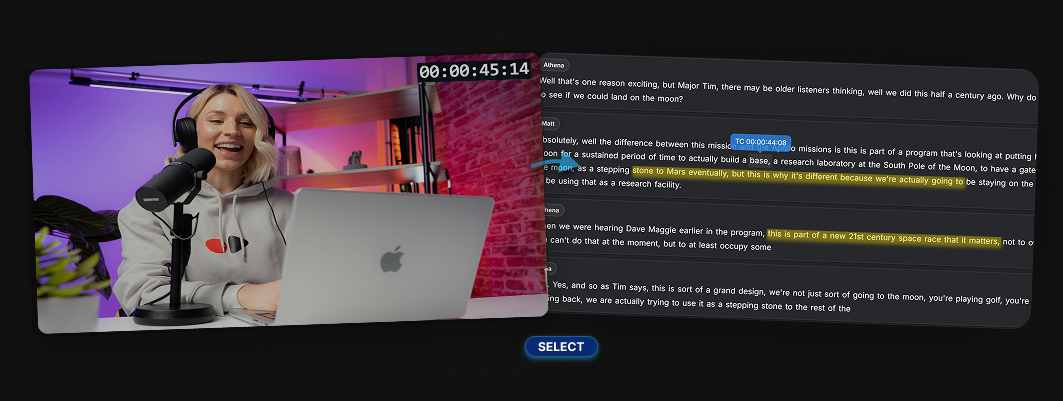
AI transcription has become a standard part of the video editing workflow.
Whether you're working on interviews, documentaries, podcasts or social content, having a transcript is no longer a luxury - it’s essential.
But while there are now dozens of transcription tools available, not all of them are built with video editing in mind.
Some are great for generating text. Fewer are useful for actually shaping an edit.
In this guide, we’ll look at the best AI transcription tools for video editors - and what really matters when choosing one.
New to transcript-based workflows? Read our guide on how to edit video from a transcript.
What matters
What video editors actually need from transcription
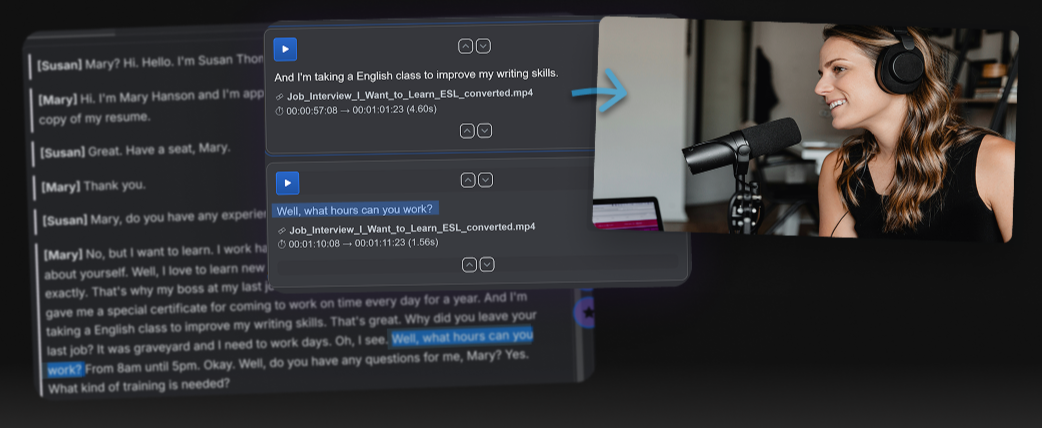
If you’ve worked with transcripts in a real edit, you’ll know accuracy is only part of the story.
What matters is how the transcript fits into your workflow.
For video editors and producers, the key things are:
- Word-level timing - so text aligns precisely with footage
- Speaker identification - especially for interviews
- Search and navigation - quickly finding key moments
- Timecode - locate every word in the footage
- Speed - both processing and usability
- Editing workflow support - the ability to move from transcript to edit
Many tools now handle transcription well. The real difference is how useful that transcript becomes in the edit process.
Comparison
The best AI transcription tools for video editors
Descript
Descript is one of the most well-known tools in this space. It combines transcription with a timeline-based editor and allows you to edit video by editing text.
Strengths:
- Clean interface
- Integrated editing tools
- Good for simple content workflows
Limitations:
- Can feel constrained for more complex edits
- Less suited to traditional broadcast workflows
- Editing is still tied closely to its own environment
Trint
Trint is widely used in journalism and broadcast. It focuses heavily on transcription accuracy and collaboration.
Strengths:
- Strong speaker detection
- Good for reviewing and marking transcripts
- Trusted in news workflows
Limitations:
- Primarily a transcription and review tool
- Limited direct editing capabilities
- Requires additional steps to turn selections into edits
- Expensive
Otter
Otter is popular for meetings, interviews and general transcription.
Strengths:
- Fast and easy to use
- Good for capturing conversations
- Accessible across devices
Limitations:
- Not designed for video editing workflows
- Limited control over timing and export
- More suited to note-taking than production
Adobe Premiere Pro
Adobe Premiere Pro now includes built-in transcription and text-based editing features.
Strengths:
- Integrated directly into a professional NLE
- Works within existing editing workflows
- Supports captioning and search
Limitations:
- Transcript is secondary to the timeline
- Designed primarily for editors, not producers
- Still requires working inside the NLE environment
Whisper-based tools
Open-source models like Whisper, and tools built on top of it, have made transcription much more accessible.
Strengths:
- High accuracy
- Flexible and often low cost
- Can be integrated into custom workflows
Limitations:
- Typically require technical setup
- No built-in editing workflow
- Focused purely on transcription output
Workflow gap
Limitations of AI transcription tools for video editors
Across all of these tools, there’s a common pattern.
Most of them are typically built around the editor’s environment.
That means:
- the workflow often lives inside the NLE
- the transcript is closely tied to the timeline
- the tools are designed for the person building the edit
In real-world production, especially in broadcast, the process is a collaboration. The editor will be working with a producer or journalist, working outside the timeline and this is where transcript-first tools can be most effective.
A different approach
Transcript-first editing
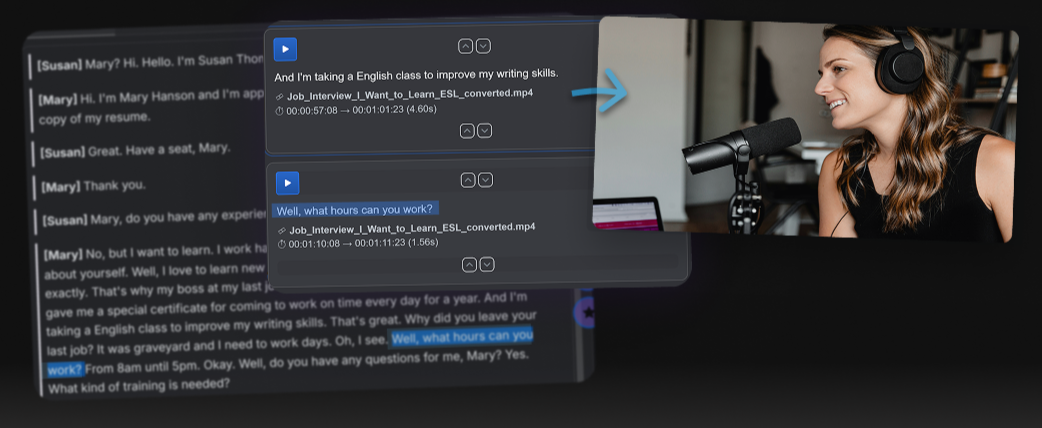
Tools like Fabel are built around a transcript-based editing workflow.
They allow you to:
- work directly from the transcript as the primary interface
- highlight text to create structured selections
- build clips before entering the edit
- review and select material on desktop or mobile
- create timecoded scripts
- export results as video, audio, or structured edits using AAF
This approach is fast, it lets the edit producer or journalist begin shaping the story before reaching the edit and then provides them the tools to ‘feed the edit’ seamlessly.
Try this workflow
Looking for more than just transcription?
Fabel is designed specifically for shaping edits from transcripts — before the timeline work begins.
If you work with interviews or long-form content, this can save hours on every project.
Choosing a tool
Which tool should you choose?
It depends on what you need.
- If you just need transcription, tools like Otter or Whisper-based solutions may be enough
- If you want transcription inside your edit, Premiere Pro or Descript can work well
- If your workflow involves shaping edits from transcripts, a transcript-first approach is worth considering
Final thoughts
Transcription is only the start
AI transcription has transformed how video content is handled.
But the biggest gains don’t come from transcription alone - they come from how you use it.
For many editors and producers, the real opportunity is not just generating text, but using that text to build faster, more efficient edits.